Multiple vulnerabilities in VMware vCenter and NSX were privately reported to Broadcom. Updates are available to remediate these vulnerabilities in affected Broadcom products.
Multiple vulnerabilities in VMware Aria Operations and VMware Tools were privately reported to Broadcom. Patches are available to remediate these vulnerabilities in affected Broadcom products.
The VMware Cloud Foundation (VCF) Architecture poster has been updated and includes many of the new advancements introduced with the release of VCF 9. It provides a visual guide that outlines the key components and architecture that enable a software-defined data center (SDDC) and cloud operating model.
VMware Aria automation updates address a DOM based Cross-site scripting vulnerability (CVE-2025-22249)
Issue date:
2025-05-12
Updated on:
2025-05-12 (Initial Advisory)
CVE(s)
CVE-2025-22249
Impacted Products:
VMware Aria Automation
VMware Cloud Foundation
VMware Telco Cloud Platform
Introduction:
A DOM based Cross-Site Scripting (XSS) vulnerability in VMware Aria Automation was privately reported to VMware. Patches are available to remediate this vulnerability in affected VMware products.
DOM based Cross-site scripting(XSS) vulnerability (CVE-2025-22249)
Description:
VMware Aria automation contains a DOM based Cross-Site Scripting (XSS) vulnerability. VMware has evaluated the severity of this issue to be in the Important severity range with a maximum CVSSv3 base score of 8.2.
Know Attack Vectors:
A malicious actor may exploit this issue to steal the access token of a logged in user of VMware Aria automation appliance by tricking the user into clicking a malicious crafted payload URL.
Resolution:
To remediate CVE-2025-22249, apply the patches listed in the ‘Fixed Version’ column of the ‘Response Matrix’ below.
Workarounds:
None.
Additional Documentation:
None.
Acknowledgements:
VMware would like to thank Bartosz Reginiak for reporting this issue to us.
VMware Aria Automation update addresses a server side request forgery vulnerability (CVE-2025-22215)
Issue date:
2025-01-07
Updated on:
2025-01-07
CVE(s)
CVE-2025022215
Impacted Products:
VMware Aria Automation
VMware Cloud Foundation
Introduction:
A server-side request forgery (SSRF) vulnerability in VMware Aria Automation was responsibly reported to VMware. Patches are available to remediate this vulnerability in affected VMware products.
Descriptions:
VMware Aria Automation contains a server-side request forgery (SSRF) vulnerability. VMware has evaluated the severity of this issue to be in the Moderate severity range with a maximum CVSSv3 base score of 4.3.
Known Attack Vectors:
A malicious actor with “Organization Member” access to Aria Automation may exploit this vulnerability enumerate internal services running on the host/network.
Resolution:
To remediate CVE-2025-22215 apply the patches listed in the ‘Fixed Version’ column of the ‘Response Matrix’ found below.
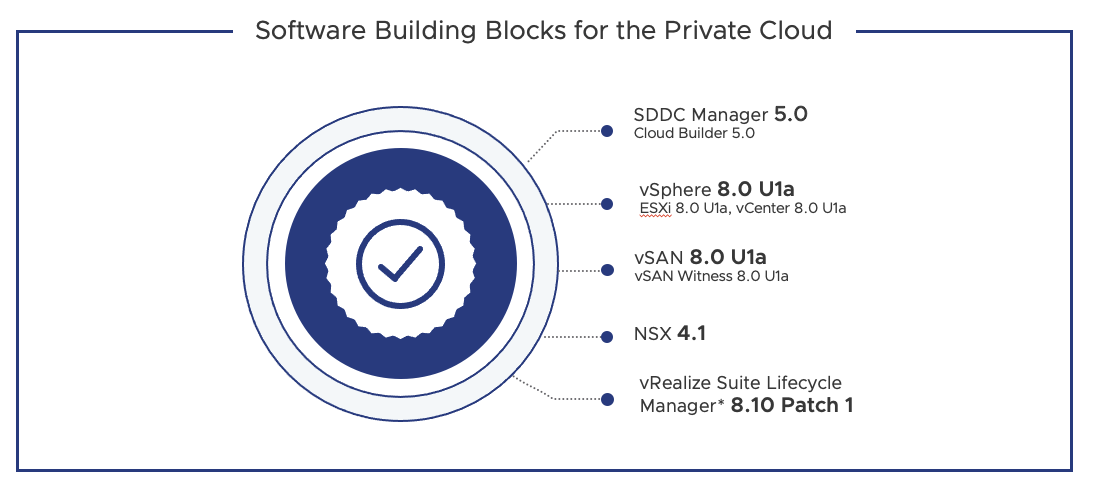
VMware Cloud Foundation 5.0 is now available, as announced by the VMware Cloud Foundation team. This important platform update adds scalability, security, and other critical advancements to handle cloud scale infrastructure as a service (IaaS), easier on-premises cloud deployment, and enhanced cyberattack protection.
Software Building Blocks for the Private Cloud
SDDC Manager 5.0 (Cloud Builder 5.0)
vSphere 8.0 U1a (ESXi 8.0 U1a, vCenter 8.0 U1a)
vSAN 8.0 U1a (vSAN Witness 8.0 U1a)
NSX 4.1
vRealize Suite Lifecycle Manager* 8.10 Patch 1
SDDC Manager Enhancements
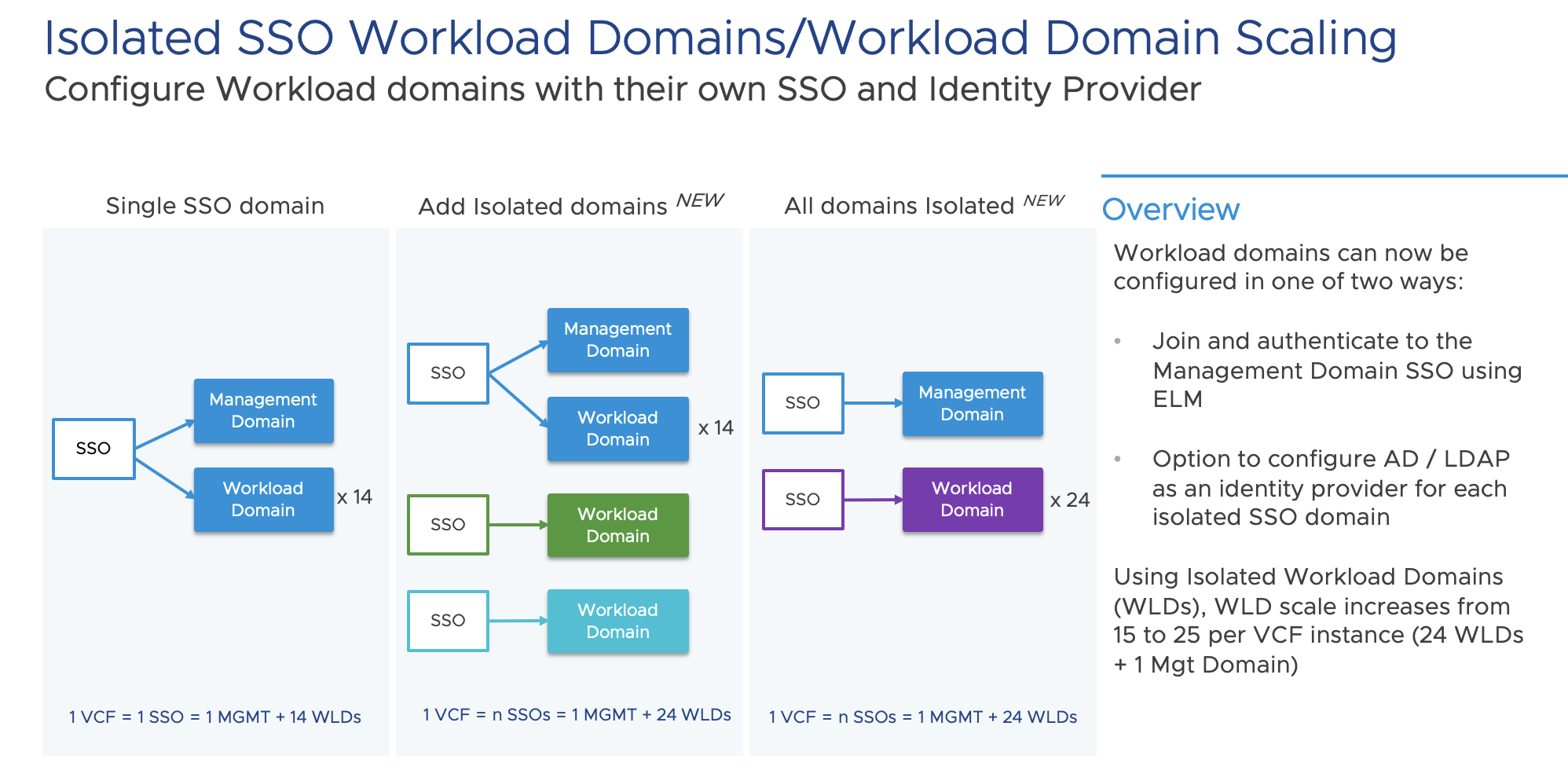
VMware Cloud Foundation 5.0 includes a new capability called Isolated SSO Workload Domains, allow administrators the option to configure new workload domains using a separate Single Sign On (SSO) instance. This scenario is useful for large enterprises that need workload isolation and for Managed Service Providers (MSPs) who can allocate workload domains to different tenants with their own SSO domains. Isolated SSO domains are each configured with their own NSX instance. The added benefit is that configuring workload domains as an isolated workload domain also allows the option to configure a separate identity provider (Active Directory or LDAP).
Workload Domain Scaling also increases when using isolated workload domains from 15 to 25 workload domains within a single VMware Cloud Foundation instance. Note that workload domains configured to use the shared management domain SSO are still limited to a maximum of 15 domains. Additional scaling is made possible through the parallelization of tasks in order to reduce the time to add Workload Domains within a VMware Cloud Foundation instance.
VMware Cloud Foundation Platform and Scaling Enhancements
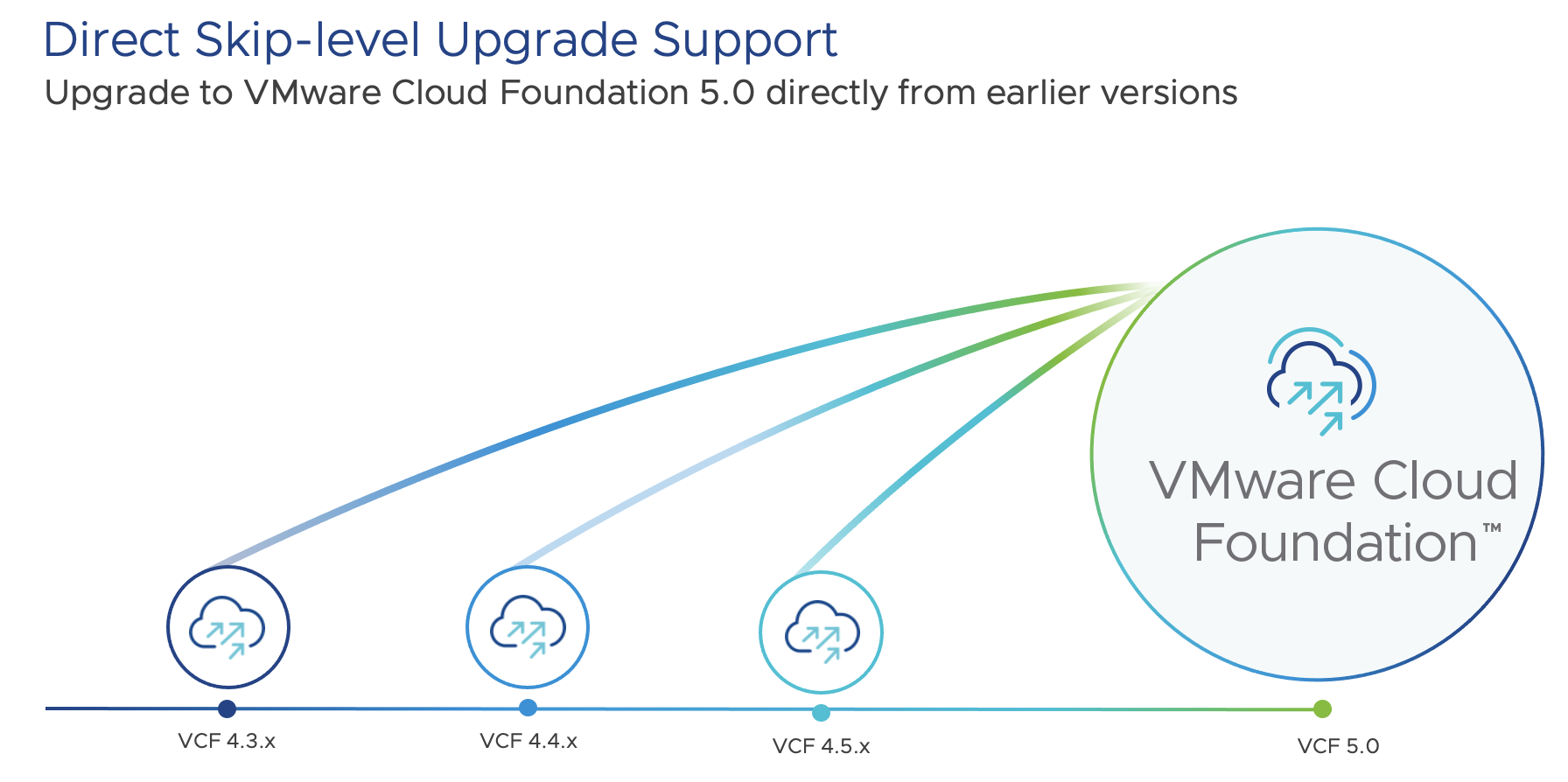
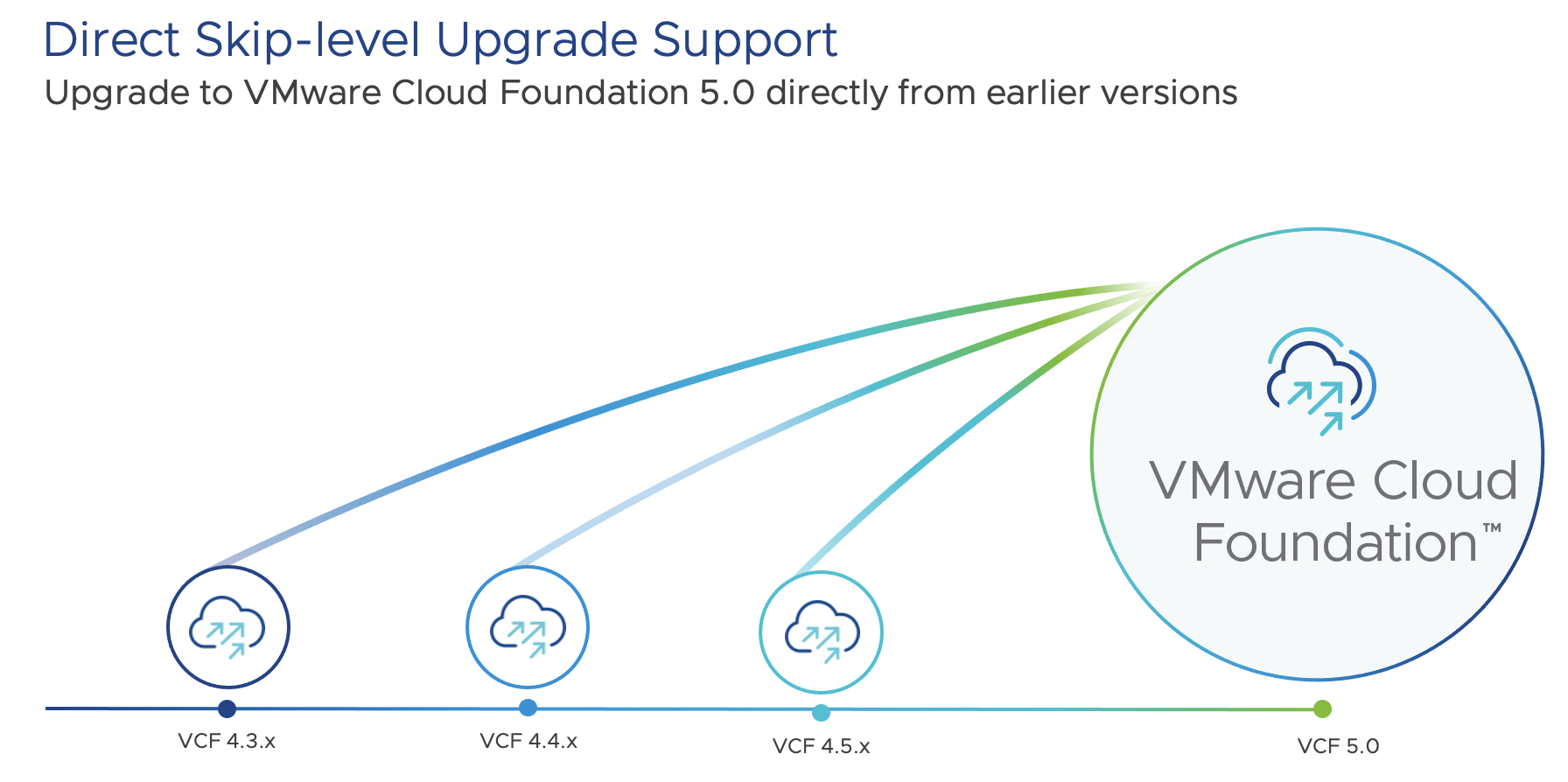
When one considers all of the new capabilities delivered within VMware Cloud Foundation 5.0, the platform and scale enhancements are probably the most highly anticipated customer feature requests, especially as they continue to scale their production of VMware Cloud Foundation environments. It is also important to emphasize that upgrades to VMware Cloud Foundation 5.0 are direct, customer led skip-level upgrades from VMware Cloud Foundation versions 4.3, 4.4 and 4.5.
We intend to upgrade VMware Cloud Foundation (VCF) from 4.2.1 to 4.4.1. Before upgrading VCF, we must do a pre-check on all VCF components.
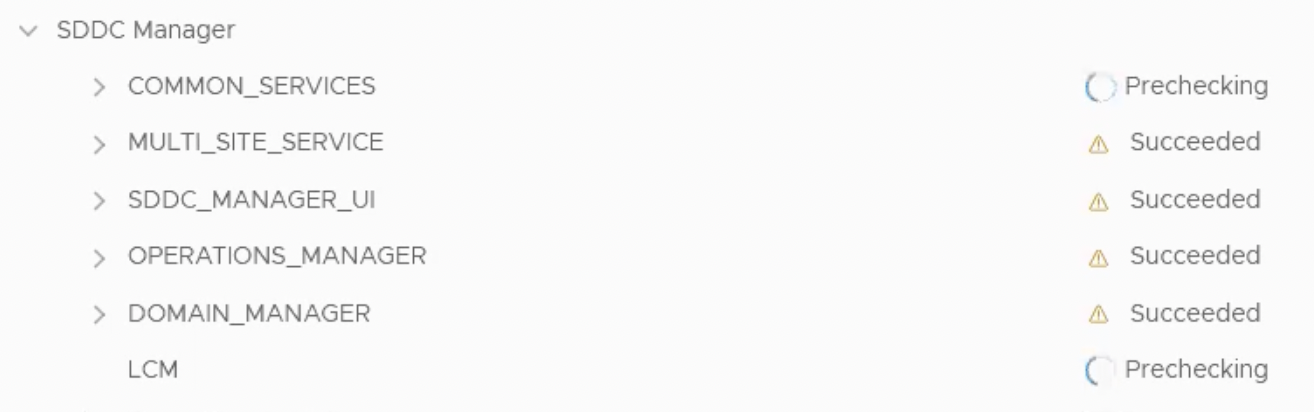
The pre-check begins with the SDDC manager.
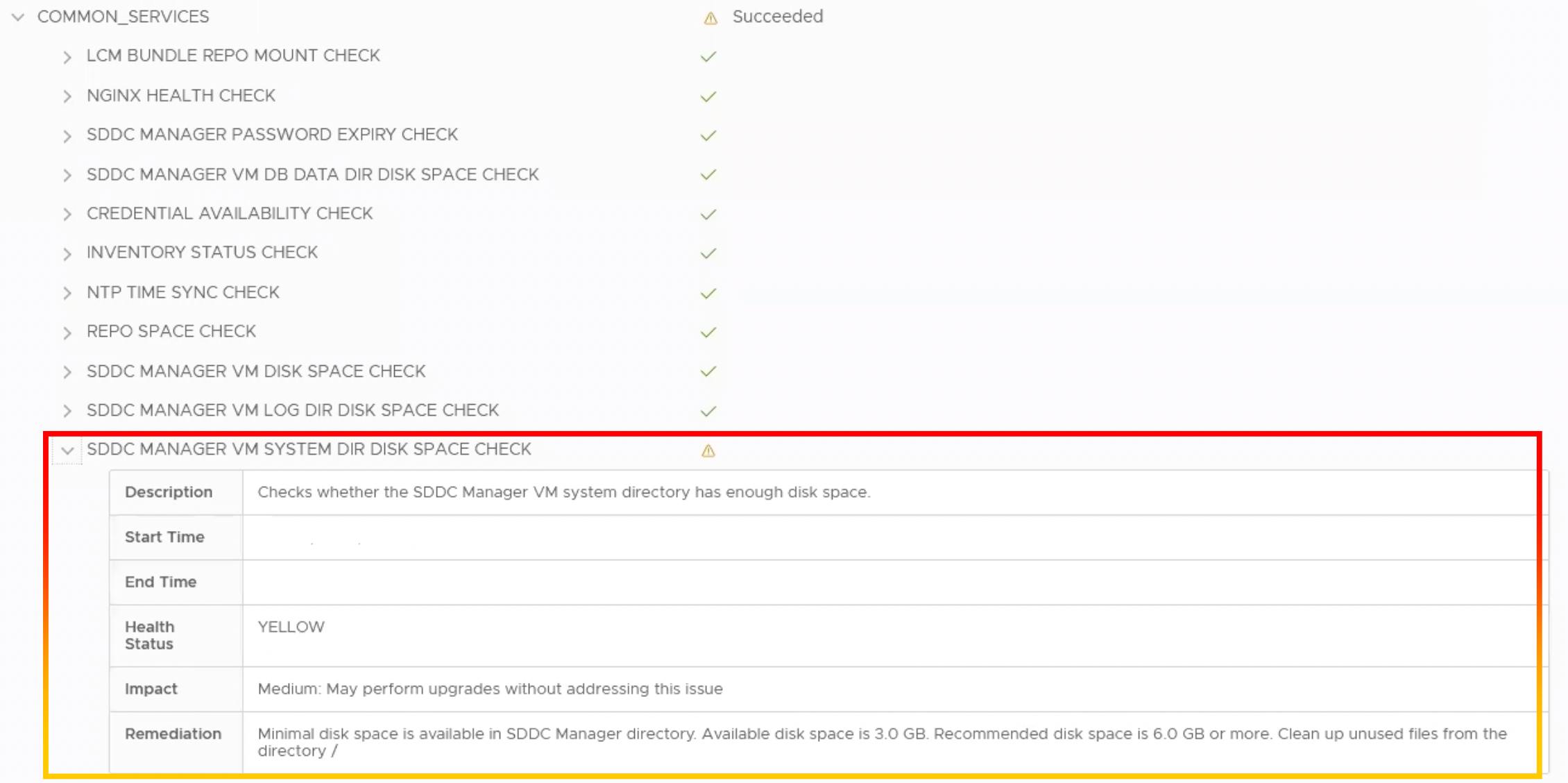
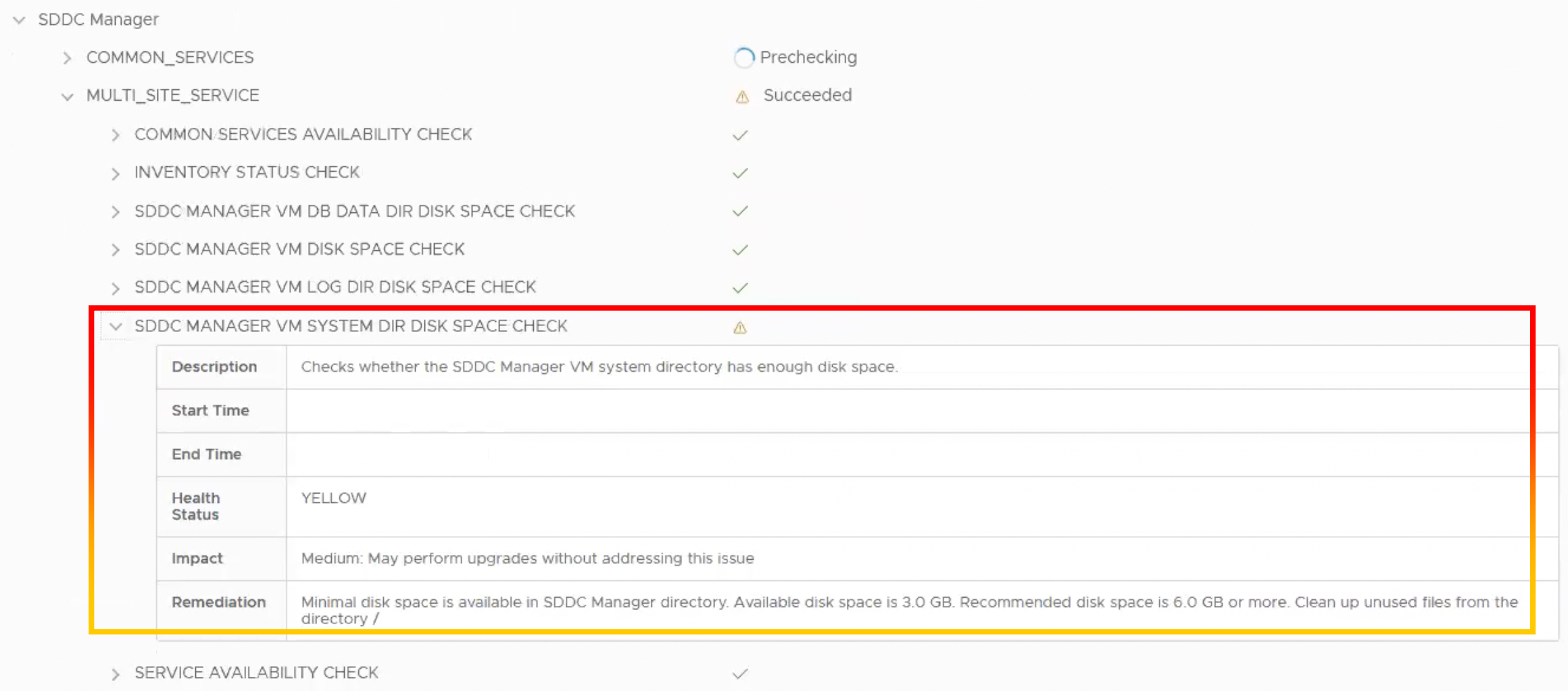
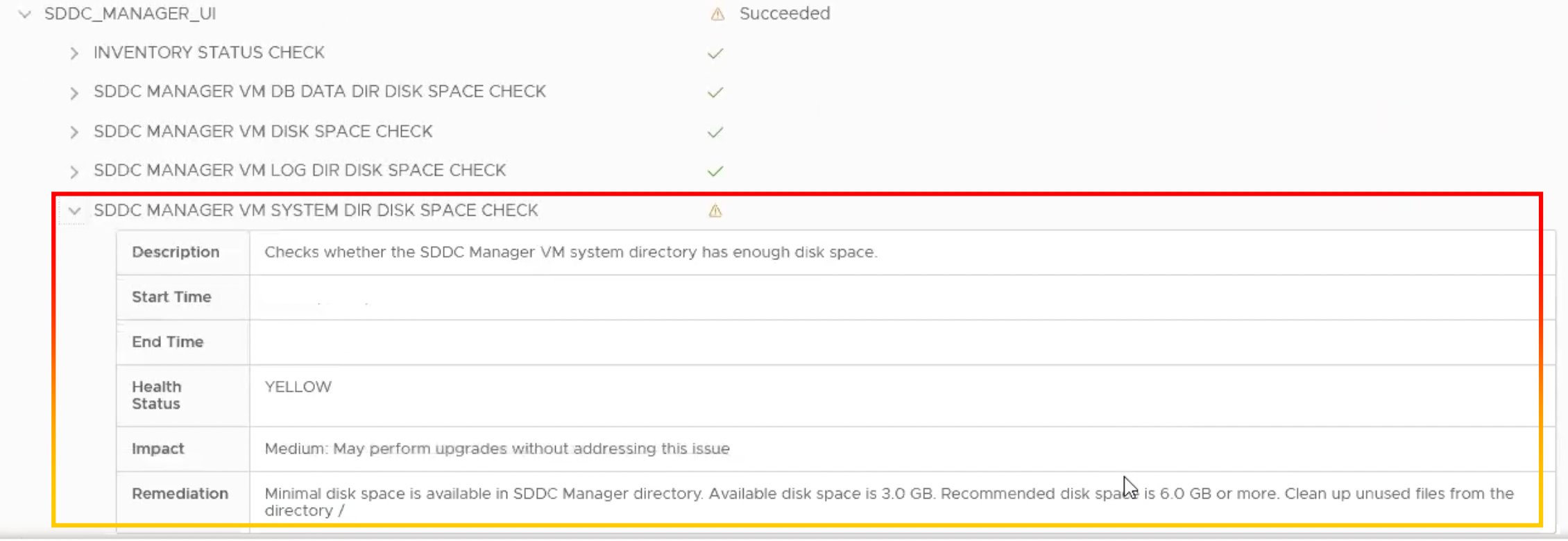
We noticed the warning “Checks whether the SDDC Manager VM system directory has enough disk space” during the SDDC manager pre-check.
Description
Checks whether the SDDC Manager VM system directory has enough disk space
Start Time
xx/xx/xx
End Time
xx/xx/xx
Health Status
YELLOW
Impact
Medium: May perform upgrades without addressing the issues
Remediation
Minimal disk space is available in SDDC Manager directory Available disk space is 3.0 GB. Recommended disk space is 6.0 GB or more. Clean up unused files from the directory /
COMMON_SERVICES
MULTI_SITE_SERVICE
SDDC_MANAGER_UI
Steps to resolving these issues
The steps following do not require a reboot or restart of any SDDC Manager services.
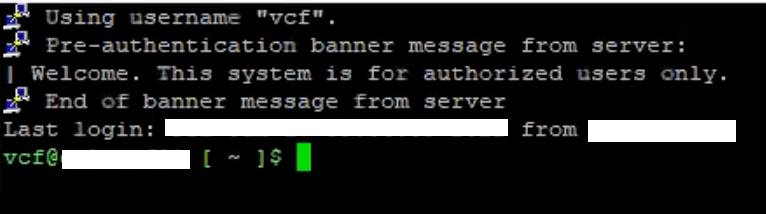
1.SSH into the SDDC Manager as the VCF user.
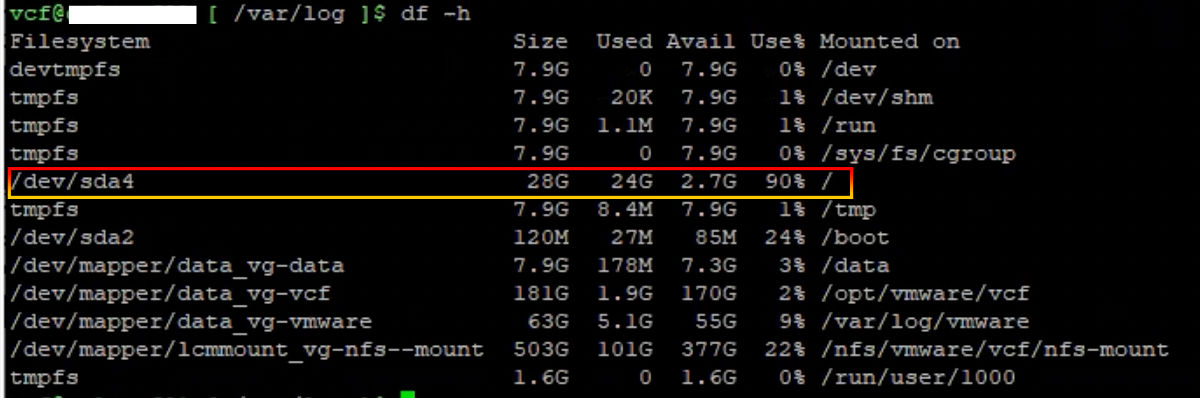
2.To display space, we navigate to /var/log and use the “df -h” command. We discovered a path. Use 90% Avail 2.7G for /dev/sda4.
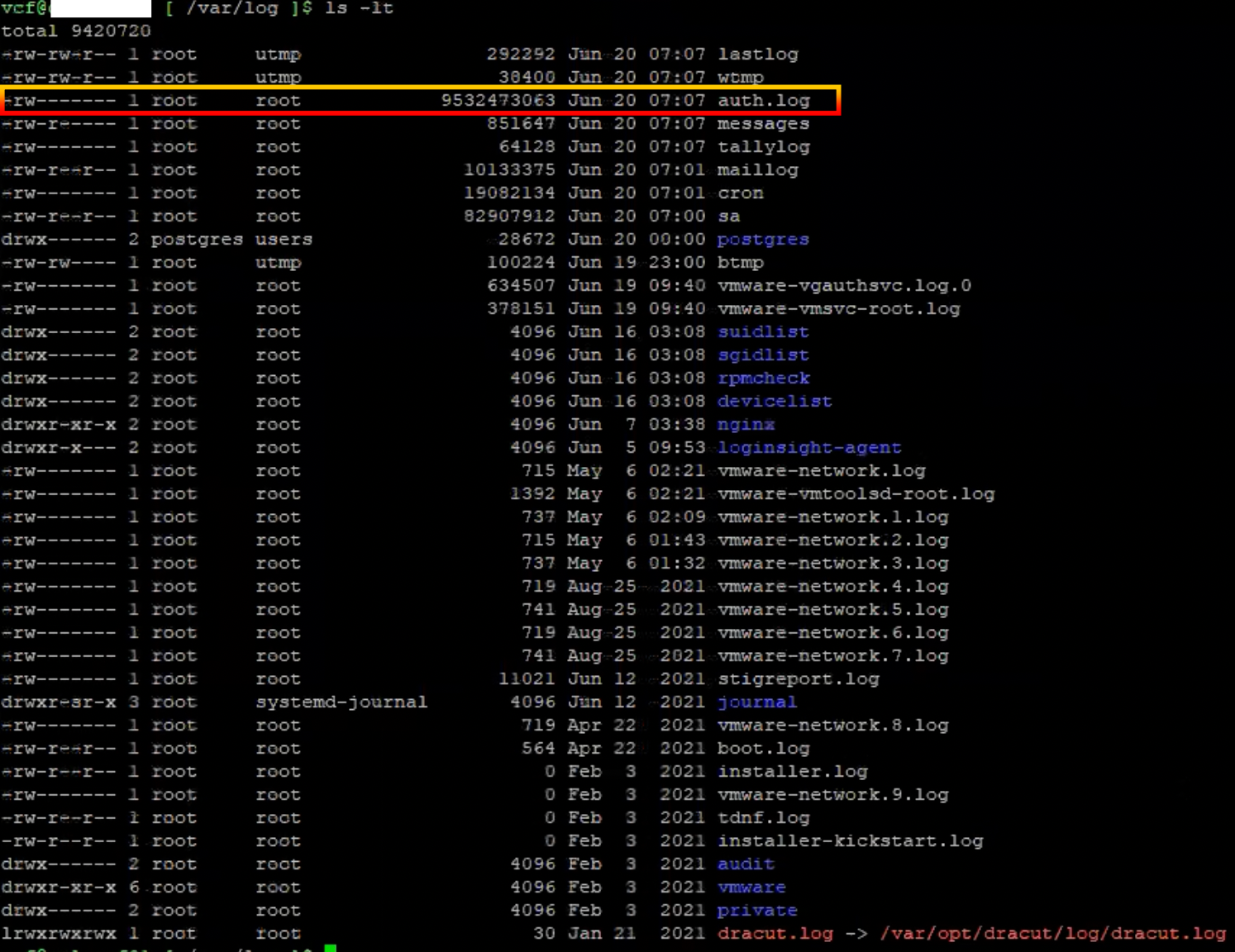
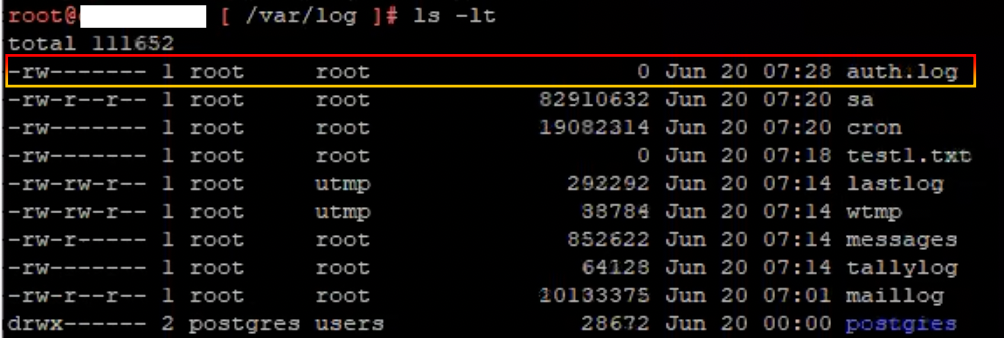
3.We used the command “ls -lt” to list in long format and sort by time and date. The file size of “auth.log” was 9.5GB.
5.We must verify the file size in the audit log path.
6.Log in as the root user.
7.Verify the file size of the audit log file. The file size of “audit.log” was 9.5GB.
8.To identify and sort the large 5 files, use the command “find -type f -exec du -Sh {} + | sort -rh | head -n 5“.
9. To clear the size of the auth.log file, use the command “> auth.log.“.
10.Verify the file size. Using the command “ls -lt,” we confirmed that the size of auth.log had been reduced.
11.Navigate to the audit path “cd audit“.
12.Verify the file size in the audit path “ls -lt“.
13.To clear the size of the audit.log file, use the command “> audit.log.“
14.Verify the file size. Using the command “ls -lt,” we confirmed that the size of audit.log had been reduced.
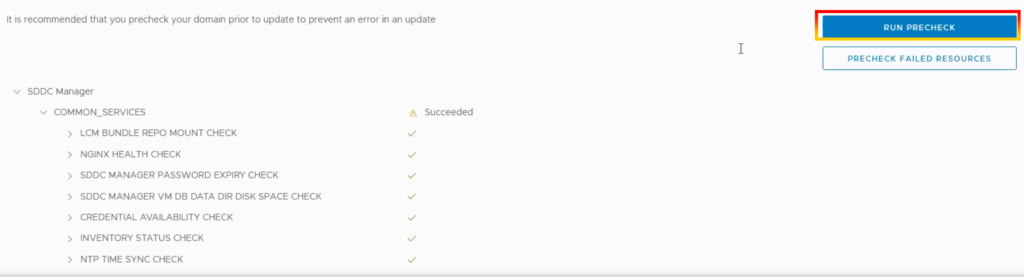
15.Return to SDDC Manager and execute the pre-check once again.
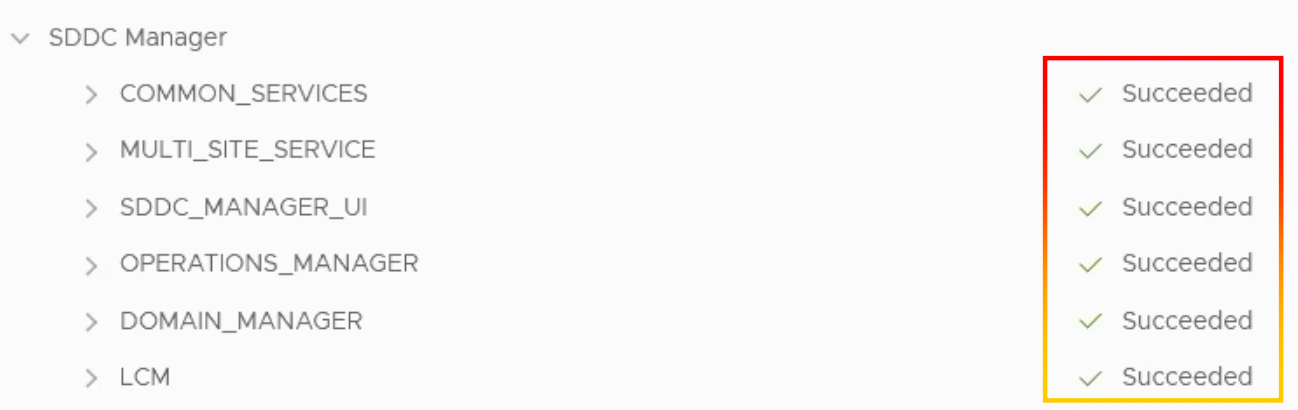
16.SDDC Manager’s components had all succeeded.
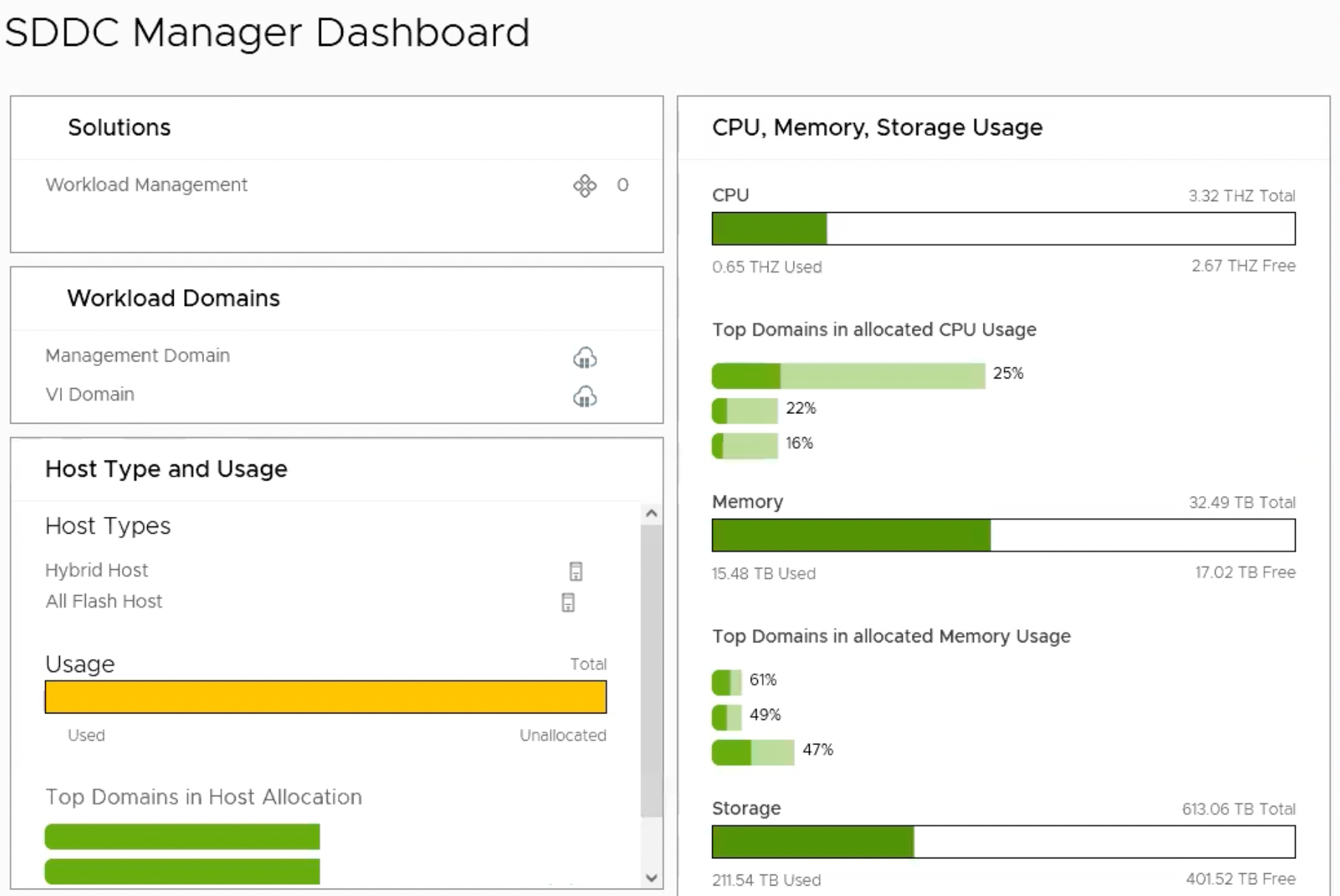
Conclusion
The SDDC Manager UI provides a single point of control for managing and monitoring your VMware Cloud Foundation instance and for provisioning workload domains. Before upgrading VCF, we recommend that you do a pre-check, and if you find any errors or warnings, please resolve them before proceeding with the update.